Radio Downloader
More projects
Radio Downloader is archived - I no-longer develop or support it.
A Windows Forms application written in C# for managing podcast subscriptions and downloads which aimed to be easy to use.
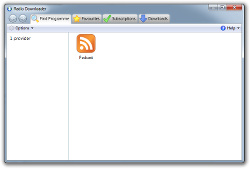
Radio Downloader also featured a plugin framework to potentially provide
podcast-like downloads of audio content from non-podcast sources but the only
plugin developed (for BBC Radio programmes) had to be withdrawn.
Radio Downloader is free to use and open source, licensed under the terms of
the
GPL. You can browse or
download the source at the
GitHub repository.
Latest News
Radio Downloader was the first
project I published on this
site - I’m somewhat alarmed to discover that was well over 18 years ago!
I’ve a lot of fondness for Radio Downloader, which is probably why I’ve taken
until now to decide to step away from it, despite not having had the enthusiasm
to maintain it as well as I’d have liked in more recent years (or having
released a new version in over five years).
I’ll leave the project pages and source repository online for the foreseeable
future but I’ve marked them as archived to make the situation clear.
Apologies to anyone who is disappointed by this news but I hope you’ll
understand.
20 September 2025
The main change in this release is a switch from the .NET framework 2.0 to 4.5.2. This shouldn’t affect most existing users as this version of the .NET framework is installed by default in currently supported versions of Windows (and handled by mono under Linux), but it should hopefully make installing Radio Downloader easier for new users.
There are also a number of small bug fixes to keep things running more smoothly.
For full details and to download this release, see the
Radio Downloader page.
30 August 2020
Questions?
Although Radio Downloader is no-longer supported, you might be able to find an
answer to your question in the help.